
.png)
Description
Download AI Manga Translator – Instant Manga Translation with AI Precision
Overview
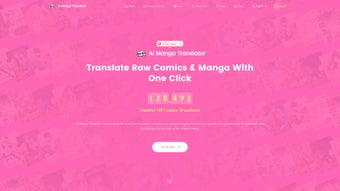
AI Manga Translator is a cutting‑edge web‑based application that brings the power of artificial intelligence to the world of comic book localization. Whether you are a casual reader who wants to enjoy a Japanese series in English, a creator looking to reach new audiences, or a language‑learner eager to compare original text with a translation, this tool offers an intuitive, fast, and secure way to convert manga panels without damaging the original artwork. Users simply upload their manga images—be it a fully‑finished volume, a raw scan, or even a low‑resolution fan‑shot—and select a target language from a robust list that includes English, Chinese, French, German, and more. The platform integrates the most reputable translation engines on the market, such as DeepL, Google Translate, and Youdao, to deliver output that rivals professional human translators in both fluency and context awareness. The free tier grants three translations per week, allowing newcomers to test the service before deciding on a paid plan that unlocks unlimited conversions. By focusing on a seamless user experience and leveraging AI‑driven accuracy, AI Manga Translator fills a long‑standing gap for manga fans who previously had to rely on community‑made fan translations of uneven quality. The service also respects copyright considerations by operating entirely in the browser, meaning no original files are stored on external servers after the translation process completes.
Key Features & System Compatibility
- AI‑Powered Multilingual Engine: Combines DeepL, Google Translate, and Youdao for optimal accuracy.
- Image‑Preserving Translation: Text is overlaid directly onto the original panel, keeping the artwork untouched.
- Broad Language Support: Includes English, Chinese (Simplified & Traditional), French, German, Spanish, Korean, and more.
- Raw Scan Handling: Works with low‑resolution or heavily compressed scans without requiring pre‑OCR.
- Weekly Free Quota: Three free translations per week for casual users.
- Scalable Paid Plans: Options to purchase additional translation credits or subscribe for unlimited access.
- Secure Browser‑Only Processing: All image handling occurs locally, ensuring privacy.
- Responsive Design: Accessible on Windows, macOS, Linux, Android, and iOS browsers.
- Batch Upload Capability: Translate entire chapters in one go, saving time for power users.
Because AI Manga Translator is a web application, it runs on any modern browser that supports HTML5 and JavaScript. This includes Chrome, Firefox, Edge, Safari, and mobile browsers on Android and iOS. No additional software download or installation is required, making it a truly cross‑platform solution for Windows, macOS, Linux, Android, and iOS users alike.
Installation, Usage Instructions & Pros / Cons
Step‑by‑Step Installation & First Use
- Open your preferred browser and navigate to the AI Manga Translator homepage.
- Click the “Get Started” button; no download or account creation is mandatory for the free tier.
- Drag and drop a manga image file (PNG, JPEG, or PDF) into the upload area, or use the Browse button to select files from your device.
- Choose the source language (or let the AI auto‑detect) and the target language from the dropdown menu.
- Adjust optional settings such as font style, text size, and placement preferences to match the original art style.
- Press “Translate”**. The AI engine processes the image, extracts text via OCR, translates it, and re‑renders the translated text onto the panel.
- Review the result in the preview window. If needed, use the built‑in editor to tweak wording or reposition speech bubbles.
- Download the translated image as a high‑resolution PNG or PDF, or share it directly to cloud storage.
Pros
- Instant translation without compromising artwork quality.
- Supports a wide range of languages and can handle raw scans.
- No installation required; works on any modern browser.
- Free tier provides three translations per week, ideal for casual readers.
- Secure, browser‑only processing protects user privacy.
Cons
- Free plan limits the number of weekly translations.
- Complex page layouts with overlapping text may need manual adjustment.
- Reliance on third‑party translation engines can occasionally produce idiomatic errors.
- Large batch uploads may be slower on low‑end devices.
Overall Rating: 4.5/5 – A powerful, user‑friendly solution for anyone who wants high‑quality manga translations without the hassle of manual OCR and editing.
Frequently Asked Questions
Is AI Manga Translator completely free?
The service offers a free tier that allows three translations per week. For users who need more frequent translations, paid plans are available that provide additional credits or unlimited usage.
Can the tool translate handwritten text in scanned manga?
Yes. The integrated OCR engine is trained to recognize both printed and handwritten characters, though extremely stylized or low‑contrast handwriting may require manual correction after translation.
Does my uploaded manga stay on the server?
All processing is performed locally in the browser. Uploaded images are never stored on external servers, ensuring that your files remain private and secure.
Which browsers are supported?
Any modern browser that supports HTML5, JavaScript, and WebAssembly—including Chrome, Firefox, Edge, and Safari on desktop and mobile platforms—will run AI Manga Translator without issues.
How accurate are the translations compared to a human translator?
The AI leverages industry‑leading engines like DeepL and Google Translate, which provide near‑human fluency for most mainstream languages. While idiomatic nuances may occasionally differ, the output is generally suitable for casual reading and can be fine‑tuned with the built‑in editor.
Conclusion & Call to Action
AI Manga Translator has raised the bar for automated comic localization by delivering fast, accurate, and privacy‑focused translations that preserve the visual integrity of each panel. Whether you are a hobbyist reader, a professional creator, or a language enthusiast, the tool’s cross‑platform accessibility and flexible pricing make it a compelling addition to your digital toolbox. Ready to experience AI‑enhanced manga translation for yourself? Visit the website, start your free weekly quota, and discover how effortless multilingual manga reading can be.
Guides & Tutorials for AI Manga Translator
How to install AI Manga Translator
- Click the Preview / Download button above.
- Once redirected, accept the terms and click Install.
- Wait for the AI Manga Translator download to finish on your device.
How to use AI Manga Translator
This software is primarily used for its core features described above. Open the app after installation to explore its capabilities.
User Reviews for AI Manga Translator 0
No reviews found




